
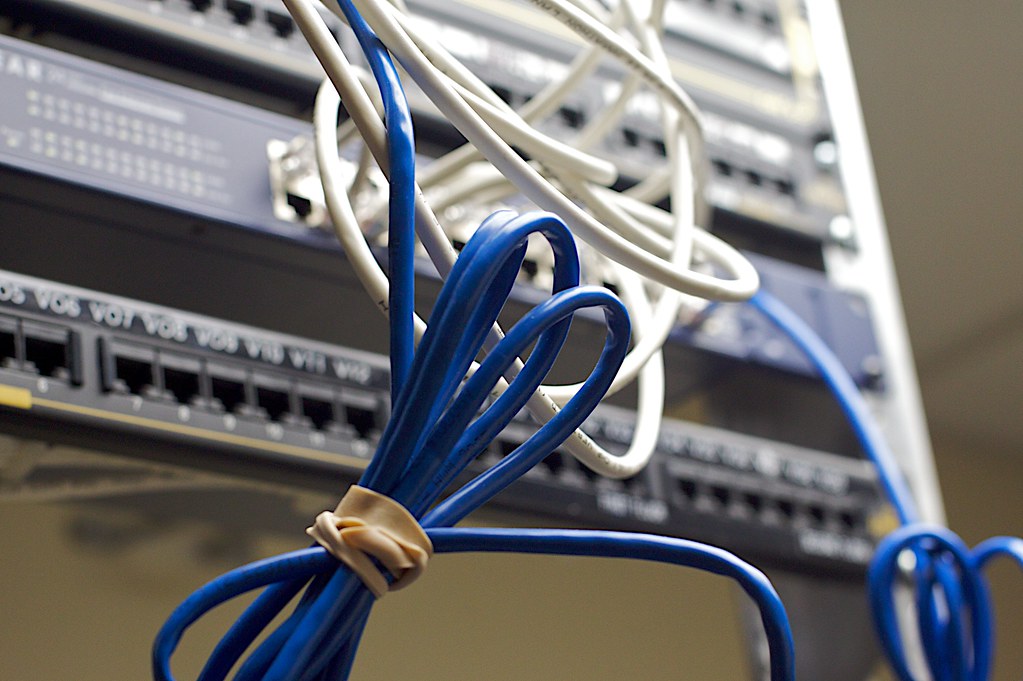
Behind every fast, reliable office network is a cabling system that was planned properly before the first cable was ever run. Structured cabling is the organised framework of cables, connectors, and hardware that carries your data, voice, and sometimes power across your workspace. Get it right and you will barely think about it for years. Get it wrong and you will be dealing with outages, slow speeds, and expensive rework. Whether you are fitting out a new office in Dubai, expanding a team in Sharjah, or renovating a space in Abu Dhabi, this guide will walk you through what you need to know.
What Structured Cabling Actually Means
Structured cabling is not simply running a few ethernet cables between a router and some desks. It is a standardised system designed to support multiple hardware uses and to be easy to manage, expand, and troubleshoot over time.
A typical structured cabling system includes:
- Horizontal cabling — the cables that run from your central distribution point (a patch panel or network cabinet) to each wall socket or access point across the floor
- Patch panels — the termination points in your cabinet that connect to the horizontal runs and allow easy rerouting without touching the fixed cables
- Wall sockets and faceplates — the endpoints at each desk, meeting room, or access point location
- A network cabinet or rack — the central housing for your patch panels, switches, routers, and any servers
- Patch leads — the short, flexible cables that connect patch panel ports to your switch ports, and wall sockets to devices
Thinking of these as separate layers helps you understand why structured cabling is more resilient and easier to manage than running direct cables from device to device.
Choosing the Right Cable Category
The most common choice for modern offices is between Cat6 and Cat6A ethernet cable. Both are solid options, but they suit different situations.
Cat6
Cat6 supports speeds of up to 1 Gbps at distances up to 100 metres, and up to 10 Gbps over shorter runs of around 37 to 55 metres. It is suitable for most small and medium offices and is the minimum you should be specifying for any new installation today.
Cat6A
Cat6A (Augmented Category 6) supports 10 Gbps reliably over the full 100-metre run. It is thicker and slightly harder to work with, but if you are fitting out a larger office, running cable through conduit, or planning to keep the infrastructure in place for a decade or more, Cat6A is the smarter long-term investment. It also offers better shielding against interference, which matters in environments with a lot of electrical equipment.
Fibre optic cabling is worth considering for backbone runs — the links between network cabinets on different floors or in different parts of a large building — where you need high bandwidth and immunity to electromagnetic interference.
Planning Your Layout Before You Pull a Single Cable
The most expensive cabling mistakes are the ones discovered after installation. Time spent planning saves money, disruption, and frustration later.
Start with a floor plan and mark every location where you will need a network connection: each desk, every printer, all meeting room screens and video conferencing equipment, wireless access points, IP cameras, and any other networked devices. It is always better to install more outlets than you think you need — adding two extra ports to a wall faceplate during installation costs very little, but adding them later means opening walls again.
From those endpoint locations, plan your cable routes back to your network cabinet. Keep in mind:
- Cables should not run parallel to power cables for extended distances — crossing at 90 degrees is fine, but long parallel runs cause interference
- Plan for conduit or cable trunking to protect cables and allow future additions without disruption
- In UAE offices where suspended ceilings are common, the ceiling void is often used for horizontal runs — confirm with your building management that this is permitted and factor in fire-rated cable requirements if needed
- The maximum cable run from patch panel to wall socket must not exceed 90 metres, leaving 10 metres for patch leads at each end
The Importance of Proper Termination and Testing
Even the best cable in the world will underperform if it is terminated poorly. Structured cabling relies on consistent, correct termination at every patch panel port and every wall socket. This means following the correct wiring standard (T568B is the most commonly used in commercial installations), maintaining the cable twist as close to the termination point as possible, and not over-bending or kinking the cable during installation.
Once your cabling is installed, every run should be tested with a cable certifier — not just a basic continuity tester. A certifier measures parameters like insertion loss, return loss, crosstalk, and propagation delay to confirm the link will actually support the speeds it is rated for. Reputable installers will provide you with a test report for each cable run. If a contractor cannot provide this, that is a red flag.
Labelling and Documentation: Do Not Skip This Step
A cabling system without clear labelling and documentation is a system that will cause headaches every time something needs to change. Every cable run should be labelled at both ends with a consistent numbering scheme. Every patch panel port should correspond to a wall socket label. A simple floor plan showing the location of every outlet and its corresponding patch panel port should be kept on file — and updated whenever changes are made.
This documentation pays for itself the first time you need to move a desk, troubleshoot a connection issue, or hand the system over to a new IT provider. In a busy office in Dubai or Abu Dhabi where staff and layouts change regularly, good labelling is not optional.
Future-Proofing Your Investment
Cabling infrastructure tends to stay in place for ten years or more, so it is worth building in some headroom. Install spare conduit runs where possible. Leave extra ports at each faceplate. Choose a network cabinet with room to grow. Consider whether Power over Ethernet (PoE) will be needed — for wireless access points, IP cameras, or IP phones — and make sure your switch and cable choices support it.
If you are installing wireless access points, plan their locations as part of the cabling design rather than as an afterthought. Each access point needs a cable run, and its placement affects your wireless coverage significantly.
Conclusion
A structured cabling system is one of those investments that is invisible when it works and very visible when it does not. Planning carefully, choosing the right cable category, terminating and testing every run, and keeping clear documentation will give your office a network foundation that supports your business reliably for years to come. If you are planning a new office fit-out, relocating, or need to bring an existing cabling setup up to standard, Rigit is here to help. Our team works with homes and businesses across Dubai, Abu Dhabi, Sharjah, and Ajman to deliver cabling installations that are built to last. Get in touch with us today and let us design a system that fits your space and your plans.